
 Download App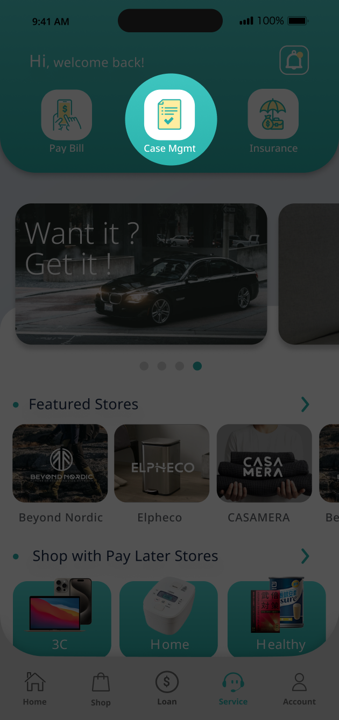
Step 1
Navigate to Case Mgmt
1. Click Case Managmenton Home Page.
Step 2
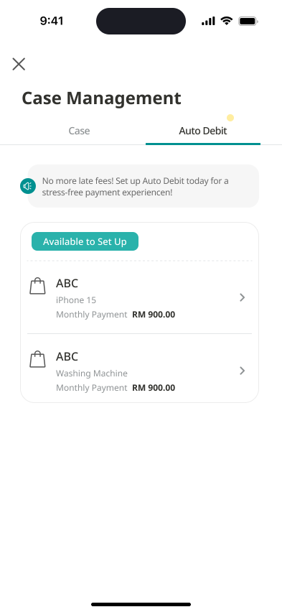
Choose the Case
1. Click Auto Debit to check the case's auto debit status.
2. Click case under Avaliable to Set Up section to proceed with auto debit application.
Step 3
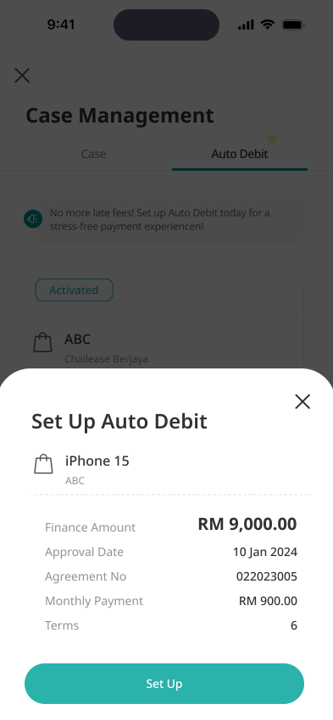
Apply Auto debit
1. Click Set Up to navigate to auto debit application page.
Step 4
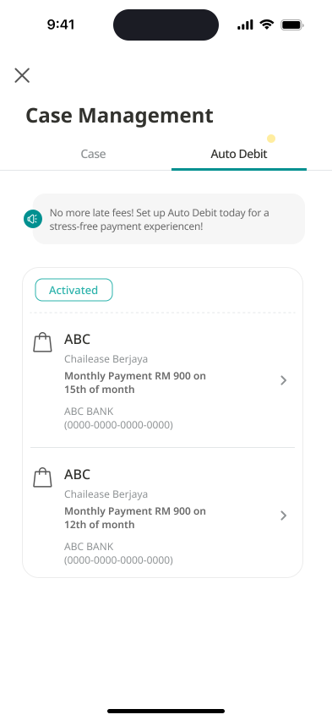
Status Updated
Upon successful application, the auto debit status will be updated to Activated, and your auto debit will be set up.
None of these answers are what you want?
 Check out the FAQs
  Contact us