
 Download App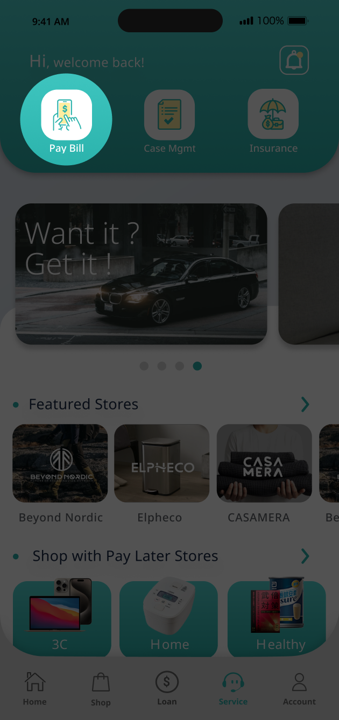
Step 1
Navigate to the Pay Bill
Click Pay Bills on Home page.
Step 2
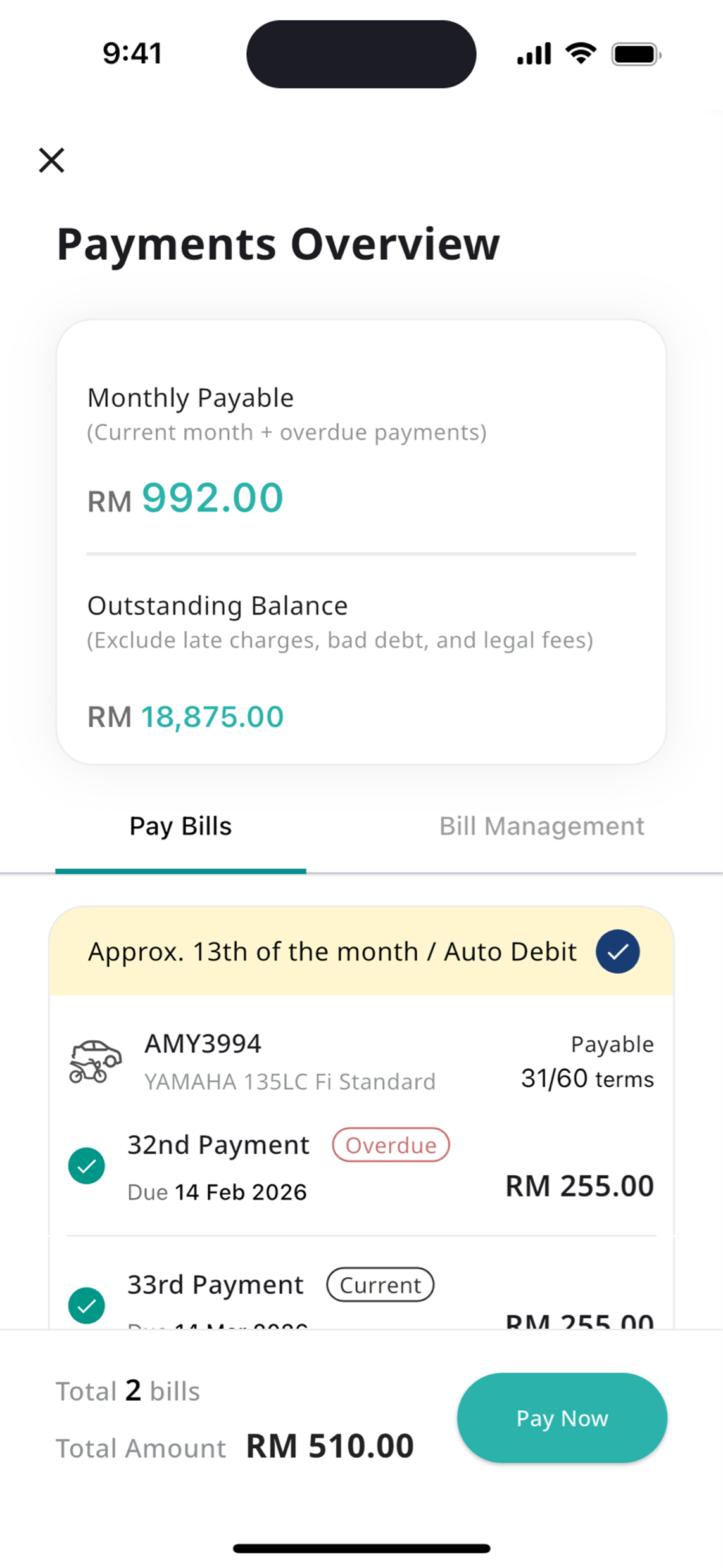
Initiate the process
1. Select payments in the approved case under Pay Bills tab
2. Click Pay Now to proceed with payment.
Note: Do not make manual payments after setting up auto debit to avoid double charges.
Step 3
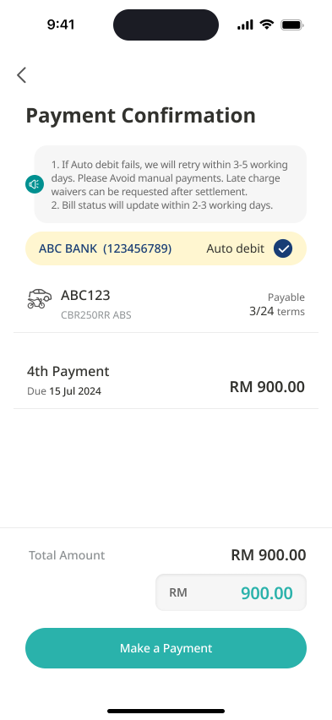
Review the payment information
Click Make a Payment to navigate to the bank page to complete the payment.
Note: Do not make manual payments after setting up auto debit to avoid double charges.
None of these answers are what you want?
 Check out the FAQs
  Contact us